01
What is a videographer?
A videographer is the person who films the video. They run the camera, set the light and record the sound where the story happens: your business, an event, an interview or a property. On most projects their part ends when the footage is shot and ready to edit.
You need one when the footage does not exist yet, or when what you have is not good enough to publish. A video editor works after that point: they sort the footage, set the pace, mix the sound, correct the color and deliver a version for each platform. Many people do both, but they are two different jobs with different tools and different prices. If your footage is already shot, start with an editor. If it still has to be filmed, start with a videographer.
02
What does a videographer do on location?
Start with the footage. If your team already recorded the scenes, a video editing service can shape them into finished videos. If the footage does not exist, you need someone to plan and capture it on location; see video production in Fort Lauderdale. A project that needs both filming and a finished cut needs both kinds of work in its quote.
A videographer is an on-location production specialist. Their responsibility centers on the physical environment: scouting locations, configuring camera sensors, selecting optical focal lengths, rigging three-point lighting setups, positioning wireless lavaliers or boom microphones to control room acoustics, and directing on-camera talent. A videographer solves physical challenges in real time, capturing high-quality raw footage that provides the necessary creative coverage for the story.
03
What does a video editor do in post-production?
A video editor is a post-production narrative architect. Working in a specialized studio workstation environment, an editor ingests raw footage, synchronizes multi-camera audio tracks, selects the most compelling takes, establishes narrative flow, cuts out hesitation, cleans background noise, balances dialogue levels to web standards (-14 to -16 LUFS), applies color grading transforms, animates on-screen typography, and formats deliverables for vertical feeds (9:16) and widescreen platforms (16:9).
Tooling highlights the operational divide. A videographer deploys cinema cameras, prime lenses, gimbals, C-stands, softboxes, field monitors, and audio recorders. An editor utilizes high-performance editing systems, color-accurate displays, DaVinci Resolve Studio, Adobe Premiere Pro, After Effects, sound design libraries, and digital audio workstations.
- Videographer: on-site physical camera capture, scene lighting, microphone rigging, and visual composition
- Video editor: post-production narrative structure, pacing, audio leveling, color grading, and motion graphics
- Production tools: cinema camera bodies, gimbals, LED panels vs color-calibrated monitors, NLE software, and DAWs
- Outcome focus: raw footage capture on set vs polished, platform-ready master videos
04
How much does a videographer charge per hour?
Esteban Moreno Media films from $100 per hour of filming, the minimum for time on location, and every shoot still gets a written quote before the date is booked. Editing is priced separately, per video or per project, so an hour of filming and the edit that follows are two lines on the quote.
Videographers typically bill using half-day (4 to 5 hours) or full-day (8 to 10 hours) day rates. These rates cover not only their time on set, but also capital depreciation on expensive camera packages, lighting gear, transport, and insurance. Adding extra shoot days or specialized crew members immediately scales on-location expenses.
05
Should you hire a freelance videographer or a production company?
Hire a freelance videographer when one person can film what you need and you want to talk directly with whoever holds the camera; hire a production company when the shoot needs a crew, several cameras or someone running sound, lights and talent at the same time. Esteban Moreno Media is the freelance option: Esteban films from $100 per hour of filming, the minimum for time on location, and edits the footage himself, so the person who filmed is the person who cuts.
The trade-off is size. A freelancer suits interviews, a business's space, a product in use or a small event; a production company suits a commercial with actors, a multi-room conference or a set that needs a director and a producer. Ask both for the same written quote: hours on location, number of people, finished files and rounds of changes. A full production day with Esteban, planning, filming and the edit, starts from $800 per production day.
06
How do video editors price their work?
Video editors generally price their work on a per-project basis, per-deliverable package (such as monthly social media retainers or batch packs), or hourly post-production rates. Because remote editing eliminates travel time and on-location crew overhead, it allows creative budgets to go directly into editing quality, sound design, and rapid revision turnarounds.
For businesses that already record internal video using high-end smartphones (such as iPhone ProRes/Log) or in-house studio cameras, hiring a dedicated remote editor is significantly more cost-effective than hiring a full production crew. Review how supplied agency footage was shaped into a refined real estate cut in the Homeowners portfolio project (and Homeowners case study). To explore dedicated post-production packages, view our short-form video editing services, or check our corporate event videographer in Miami if you require selective local camera capture.
- Day rates: videography budgets reflect shoot days, crew size, camera kits, and travel logistics
- Project packages: editing budgets reflect deliverable quantity, narrative complexity, and turnaround speed
- Remote efficiency: sending internally recorded footage to an editor eliminates recurring on-site filming fees
07
When should you hire an editor, a videographer, or both?
Evaluating your available assets and production goals clarifies the exact hiring path for your business.
Hire ONLY a Video Editor when: You already possess recorded footage from previous events, interviews, webinars, customer testimonials, or smartphone recordings; you want to repurpose long-form videos into high-retention short-form clips; or you need animated graphics, captions, and professional color grading applied to existing assets.
Hire ONLY a Videographer when: You have an internal video editor or creative agency team that needs high-quality raw footage captured at a conference, product launch, or executive interview in South Florida, but already handles post-production internally.
Hire a Combined / Full Production Team when: You are launching a major commercial campaign, brand documentary, or high-stakes corporate explainer where script development, studio lighting, multi-mic audio capture, and post-production polish must be executed under a single unified creative direction. Learn more about our complete service offerings on our services overview page.
- Hire an editor: you have footage and need engaging, finished videos ready for distribution
- Hire a videographer: you have an editing pipeline and need on-location camera capture
- Hire full production: you need end-to-end concept development, filming, and post-production
08
For an event, do you need a videographer, an editor, or both?
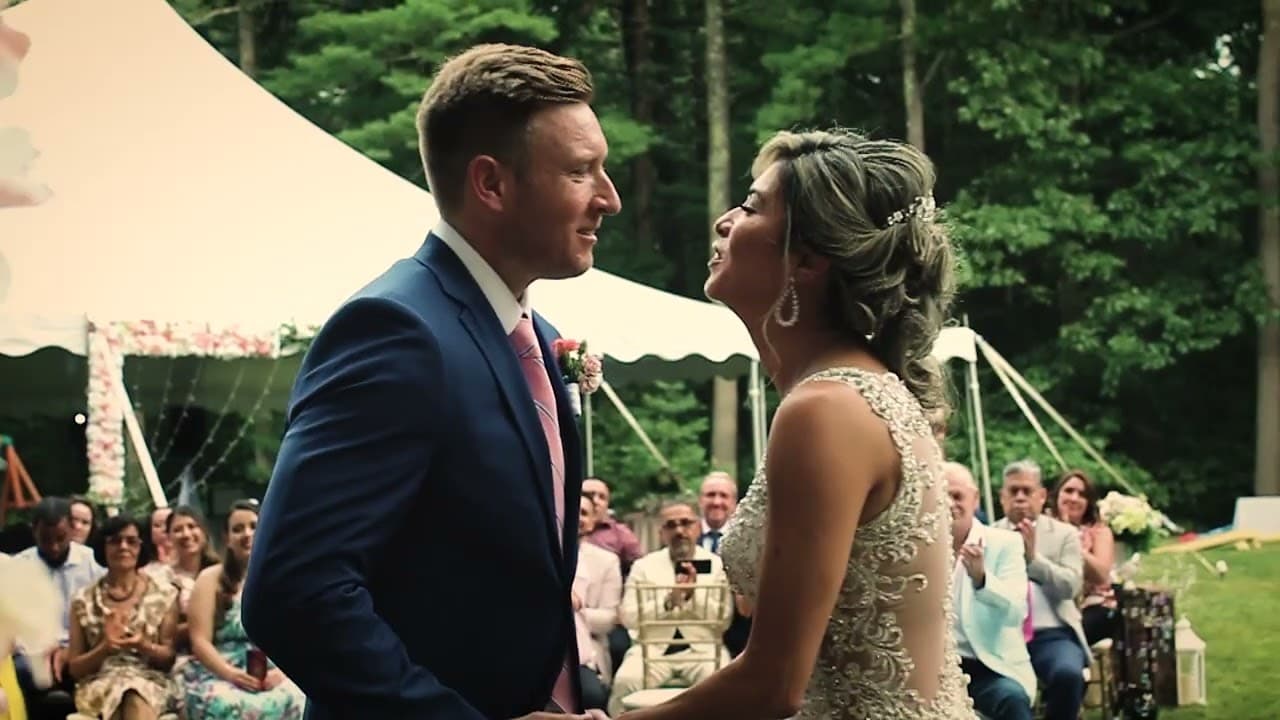
Choose a videographer when the event has not happened and you need someone to capture the moments on site. Choose an editor when your team, venue, or another videographer will supply the footage and you need a finished recap, highlight, or vertical clips. Choose both only when one written scope names both the coverage window and the finished files. The published Diana & Jack project is a real event example: it was filmed and edited by Esteban in Boston, with a 20-minute film and a roughly 90-second highlight trailer. It is a wedding, not a Miami corporate-event case study, so it does not establish conference availability, venue access, or a standard event package. For a Miami event quote, start with the corporate event videographer service; for supplied footage, use short-form video editing.
09
What decision brief should you write before requesting a quote?
Before asking for pricing, write down what already exists and what still needs to be created. If the footage already exists, the conversation can focus on editing style, deliverables, pacing, captions, sound, color, and the platform where the video will appear. If the footage does not exist, the conversation needs to cover location access, people on camera, schedule, lighting, audio capture, and whether local production is realistic for the project.
A useful brief does not need to be long. It should separate editing inputs from filming inputs so the person reviewing the request can tell whether you need post-production, on-location capture, or both. That prevents a vague request like "we need a video" from turning into a quote that includes the wrong role.
10
What should an editing-first or filming-first request include?
For an editing-first request, send the current footage, the desired output length, target platform, reference style, required words or graphics, and one person responsible for feedback. For a filming request, add the location, date range, people or products involved, access limits, and whether your team already has a separate editor.
- Editing-first: existing footage, target platform, aspect ratio, captions, graphics, music direction, and review contact
- Filming-first: location, schedule, access, people on camera, audio needs, shot list, and post-production plan
- Combined scope: creative direction, capture plan, editing deliverables, approval path, and any open questions
11
How does the state of your raw footage change the role you should hire?
The strongest signal is whether your raw footage is already usable. If you have clear audio, stable framing, enough angles, and footage that covers the story from beginning to end, a video editor can usually turn those assets into a finished piece without sending a camera team back into the field.
If the available footage is missing essential moments, has unusable audio, lacks close-ups or establishing shots, or does not include the people and products the video needs to show, an editor can improve the material but cannot create true coverage that was never captured. That is when a videographer, or a combined production plan, becomes the more honest choice.
12
Why do partial assets make this boundary matter for business content?
For business content, this boundary matters because many projects start with partial assets: a phone recording from an event, a webinar replay, a few customer clips, or footage from a previous contractor. An editor-first workflow can work well when those assets need structure, captions, cleanup, and platform formatting. A videographer-first workflow fits when the business needs new images, controlled lighting, interviews, and intentional sound captured on location.
- Good editor handoff: clear speech, stable shots, multiple angles, brand references, and enough footage to tell the story
- Weak editor handoff: distorted audio, missing scenes, unclear subject, no establishing shots, or footage that does not match the desired message
- Videographer need: new interviews, product demonstrations, venue coverage, controlled lighting, or on-camera direction
13
Which production pitfalls should you avoid, and how do you brief each role?
A frequent and expensive mistake in video marketing is relying on the assumption that filming flaws can easily be fixed in post-production. While modern digital tools can improve imperfect footage, severe audio reverberation, clipped microphone distortion, or out-of-focus subjects cannot be magically restored without sacrificing quality. Capturing clean source media on set protects the entire project.
To get the best results from a videographer, prepare a detailed shot list, schedule timeline, location access permits, and lighting expectations. To get the best results from a video editor, provide brand guidelines, typography preferences, target aspect ratios, platform delivery deadlines, and reference links demonstrating the desired pacing and aesthetic style.
Clarifying project deliverables and review points upfront ensures every party stays aligned. If you are planning an upcoming video project or need guidance on whether your existing footage is ready for post-production, reach out directly through our contact page.
Questions before requesting a quote